


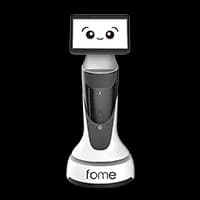
This transfer automation solution utilizes the TechFloor Mobile X, a high-performance Mobile Manipulator, to pick smartphones from shelving units, load them onto its onboard platform, and transport them to the next process stage.
The TechFloor Mobile X can be deployed without extensive infrastructure changes and offers flexible adaptation to layout or workstation modifications. It ensures high productivity through rapid transit and high-precision docking, minimizing common mobile robot issues such as alignment errors.
By applying this solution to environments with frequent inter-process part transfers, continuous operation is achieved regardless of shifts, significantly boosting productivity without additional labor costs.
Components
| Robot |
|
|---|
Workflow
| STEP 1. | Request: The robot receives a work command from the central control system. |
|---|---|
| STEP 2. | Navigation & Recognition: Moves to the picking location and identifies the exact position of the workstation/shelf. |
| STEP 3. | Loading: The UR5 arm picks the smartphones and loads them onto the onboard pallet |
| STEP 4. | the robot then heads to the next process. |
| STEP 5. | Arrival: Identifies the target coordinates and alignment markers at the post-process workstation. |
| STEP 6. | Unloading: The arm places the transferred smartphones onto the target workbench. |
| STEP 7. | Reset: The robot moves to a standby or next task location. |
※ The content provided by Bigwave Robotics is protected under U.S. and Canadian copyright and intellectual property laws. Unauthorized reproduction, distribution, or use of this content is strictly prohibited.
Recommended Use Cases

PCB Flex Cable Insertion using Epson N2 and FT Sensors
This assembly automation solution utilizes the Epson N2 robot and FT (Force-Torque) sensors to automate the highly difficult process of inserting Flex Cables into PCB connectors. It is the optimal solution for performing high-precision assembly tasks while minimizing cycle times within confined workspaces. This project was initiated to automate the Flex Cable insertion process, which previously relied entirely on manual labor.

Potenit Lift-type AMR for Home Appliance Part Rack Transfer
This logistics automation solution utilizes Potenit's Lift-type AMR to automatically transfer component racks for home appliances according to the manufacturing process sequence. Potenit's AMR solution can be deployed easily without additional infrastructure (such as magnetic tapes or floor markers) and responds flexibly to changes in factory layout or work positions. Through the proprietary MOS (Multi-Robot Operating System), operators can monitor real-time status and issue commands via mobile devices, tablets, or PCs. By automating material input and transfer across processes, idle time caused by preparation work has been reduced, leading to increased operational efficiency and productivity. This project was implemented as part of a Smart Factory advancement initiative to optimize worker movement, minimize production lead times, and increase overall production capacity to respond flexibly to shifting market demands.

Box Handling Solution using Hyundai HH020 and HRVision
This sorting automation solution utilizes the Hyundai HH020 robot and the HRVision 3D vision solution to automate the manual task of recognizing text on the tops of boxes and transferring them to a conveyor in a specific sequence. By leveraging the high-speed recognition capabilities of HRVision, the system can capture and process product images even while the objects are in motion, ensuring seamless and continuous operation.
This transfer automation solution utilizes the TechFloor Mobile X, a high-performance Mobile Manipulator, to pick smartphones from shelving units, load them onto its onboard platform, and transport them to the next process stage.
The TechFloor Mobile X can be deployed without extensive infrastructure changes and offers flexible adaptation to layout or workstation modifications. It ensures high productivity through rapid transit and high-precision docking, minimizing common mobile robot issues such as alignment errors.
By applying this solution to environments with frequent inter-process part transfers, continuous operation is achieved regardless of shifts, significantly boosting productivity without additional labor costs.
Components
| Robot |
|
|---|
Workflow
| STEP 1. | Request: The robot receives a work command from the central control system. |
|---|---|
| STEP 2. | Navigation & Recognition: Moves to the picking location and identifies the exact position of the workstation/shelf. |
| STEP 3. | Loading: The UR5 arm picks the smartphones and loads them onto the onboard pallet |
| STEP 4. | the robot then heads to the next process. |
| STEP 5. | Arrival: Identifies the target coordinates and alignment markers at the post-process workstation. |
| STEP 6. | Unloading: The arm places the transferred smartphones onto the target workbench. |
| STEP 7. | Reset: The robot moves to a standby or next task location. |
※ The content provided by Bigwave Robotics is protected under U.S. and Canadian copyright and intellectual property laws. Unauthorized reproduction, distribution, or use of this content is strictly prohibited.